
P R I N T E R
Printers
- Printer is an output device, which is used to convert the digital data from the computer to a printed format in a hard copy.
- It has two types:
- Impact printer
- Non-impact printers
- Impact printer
- This Kind of printer apply by a physical force and get impress from the character is said to be impact printer Types: 1. Dot matrix printer
- Daisy wheel printer
- Line printer
Non-impact printer
- This kind of printer print without any physical force.
- Types: 1. Laser printer
- Ink. Jet printer
- Bubble jet printer
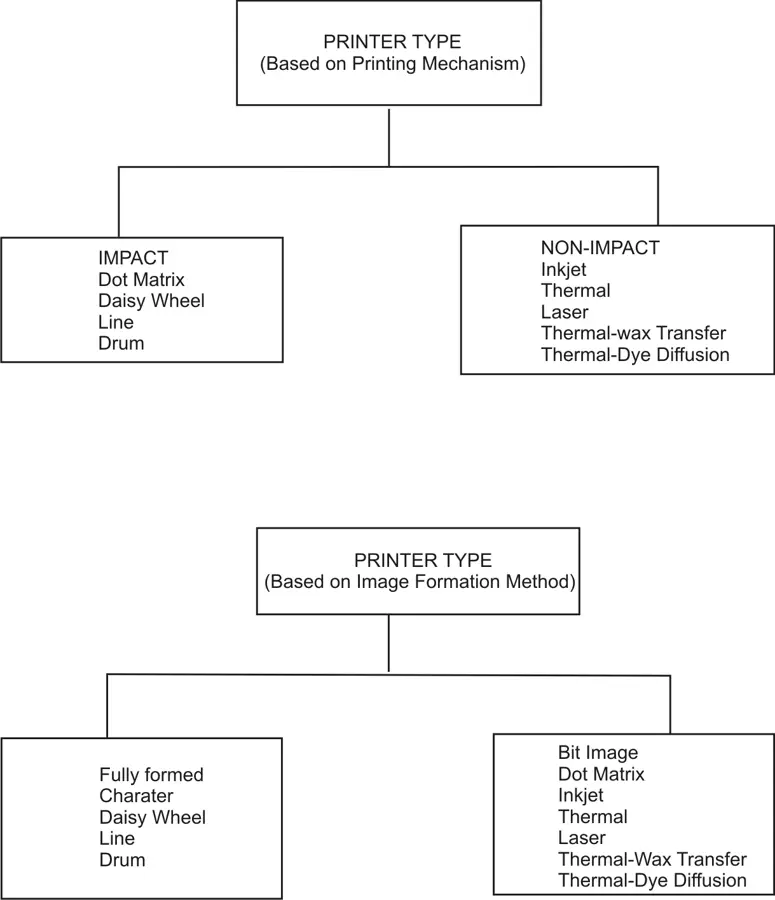
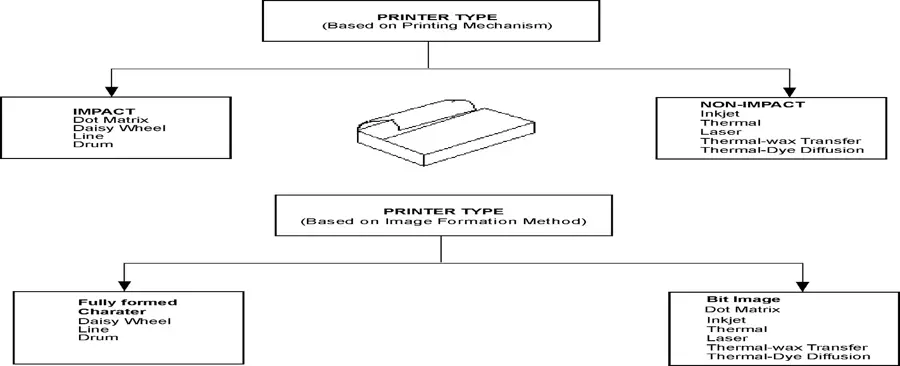
Based on the Direction of Printing
- Unidirectional Printers - allows the printer to print in only one direction.
- Bi-directional Printers - can print in both directions and hence it is faster.
- Based on the amount of data that can be printed at a time
- Line Printers - can print an entire line at a time and are high-speed printers.
- Page printers – can print one page of data at a time.
- Multi Function Printers
- A multi function printer may contain a printer, a scanner, a copier, a media card reader, a Fax etc.
- The printer specifications are Printer Resolution Print Memory Speed Paper type Page description language
- Printer Control Language (PCL)
- Post Script
- Fonts
- Printer Interface
- Serial Interface
- USB Interface
- Parallel Interface
- SCSI Interface
- Firewire
Dot-Matrix Printer
- Overview of Dot-Matrix Printers
- The print head strikes the inked ribbon to print a character.
- The print head consists of multiple small pins
- The print head strikes the ribbon that is placed between the pins and the paper.
Types of Dot-Matrix Printers
- Unidirectional and bidirectional Printers
- 9-Pin, 18-Pin, 24 pin Print Head Printers
- 80 Column and 132 Column Printers
- Monochrome and Color Printer
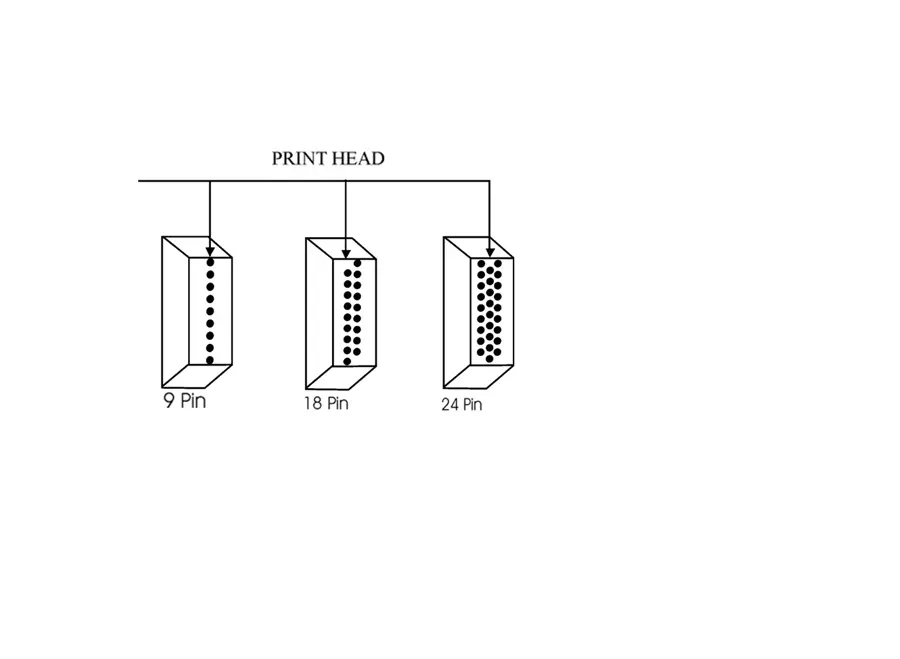
Section of Dot Matrix Printer (Dmp)
- Power supply section
- Front panel section
- Motors
- Sensors
- Mechanical section
- Various Mechanical Section:
- Paper feeding mechanism
- Cartridge movement
- Head movement mechanism
- Head assembling mechanism
- Friction feeding mechanism
- Power Supply
- The power supply section of a dot matrix printer converts the AC power supply into DC power Supply.
- Front Panel Section
- Switches presented in the Dot Matrix Printer On line switch Form feed Line feed/ sans serif switch NLQ/Draft switch Condensed/normal switch
- The indicators present in the control panel Power (Green)
- Ready (Green) .
- Paper Out
- ONLINE (Green)
- MODE select (Orange)
- Sensors present in Dot Matrix Printers
- Home Position Sensor - is used to verify if the print head carriage assembly is towards the left margin.
- Head Position Sensor - It provides to keep the head in position
- Paper End Sensor – It is used to detect if there is paper in the printer.
- Paper Feed Motor
- It is a stepper motor used to feed the paper into the next line.
Other Areas of Dmp
- Cartridge
- Head
- Ribbon
- Rail
- Logical board
- Head Carriage Assembly
- The head carriage assembly consists of a carriage motor, timing belt and driving pulley.
- Printer logic board printer logic board consist of 1.A print processor
- Printer Buffer (RAM) 3. A printer ROM for storing the dot patterns and 4. Power supply unit
Working of Dot Matrix Printers
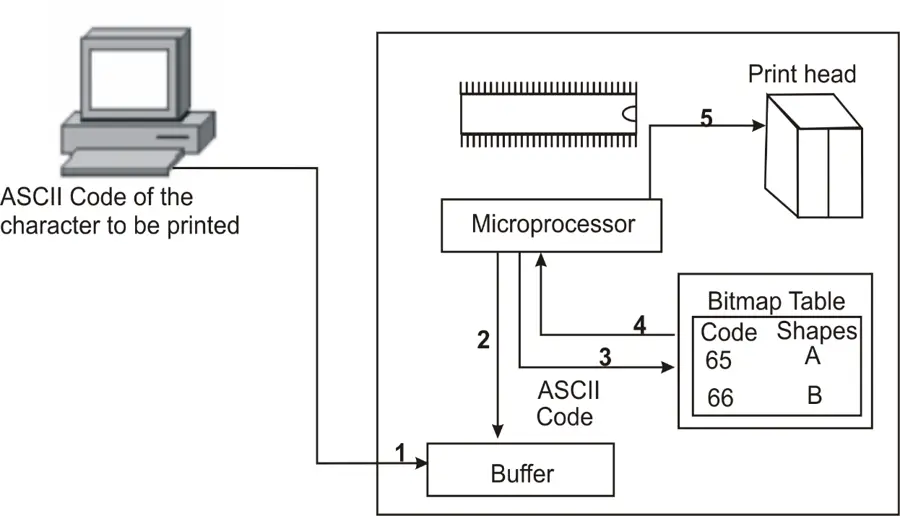
- The computer sends the ASCI code for the data to the printer through the printer interface.
- The processor obtains the dot pattern information from the bit map table stored in the printer ROM and sends it to the print head.
- The print head then fires the pins accordingly for producing the character.
Ink Jet Printers
- Introduction
- Inkjet printer is a type of non-impact printer.
- The data is printed by spraying droplets of ink on to the paper for creating images.
- Inkjet printers can also be used to take photo quality images.
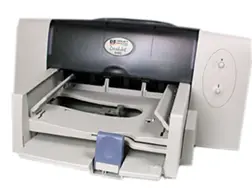
Types & Parts of an Inkjet Printer
- The types of the inkjet printer are Solid Ink Printers Dye Sublimation Printers Thermal Wax Printers Thermal Auto Chrome Printers
- Print Head - It includes a series of spray drops of ink.
- Ink Cartridges – There are various combination of ink cartridge.
- Print head stepper motor
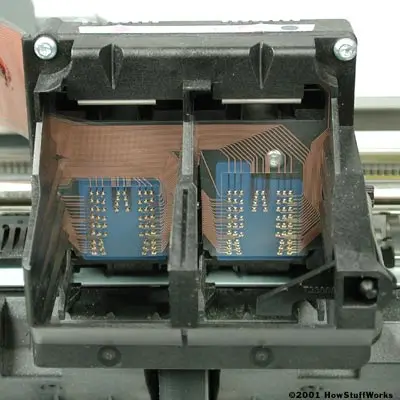
Print head assembly
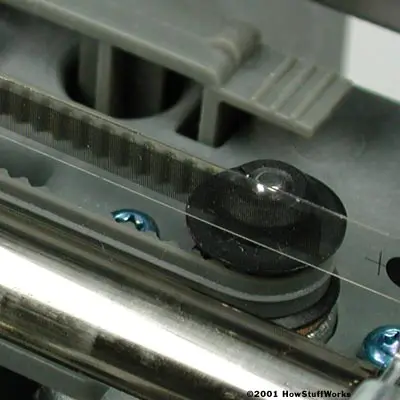
- Belt - It is used to connect the print head assembly to the stepper motor.
- Stabilizer bar – used by the print head assembly to ensure that the movement is accurate and controlled.
- Paper feed assembly
- Paper tray/ feeder – On the back of the printer, the feeder snaps open at an angle, which allows you to place paper in it.
- Rollers – A set of rollers pull the paper inside from the tray or feeder and put forward the paper for print.
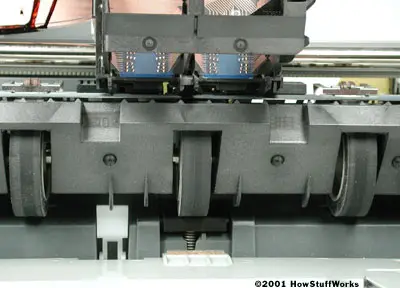
Paper feed stepper motor – The stepper motor controls the rollers.
- Power supply - Most of the printers use a standard power supply.
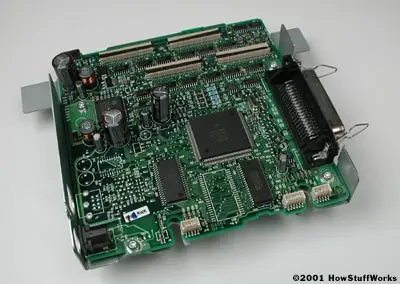
- Control circuitry - Circuitry is built into the printer to control all the mechanical aspects
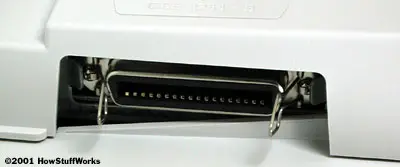
- Interface – The new printers use the USB port but the parallel port is still used by many printers.
Thermal bubble
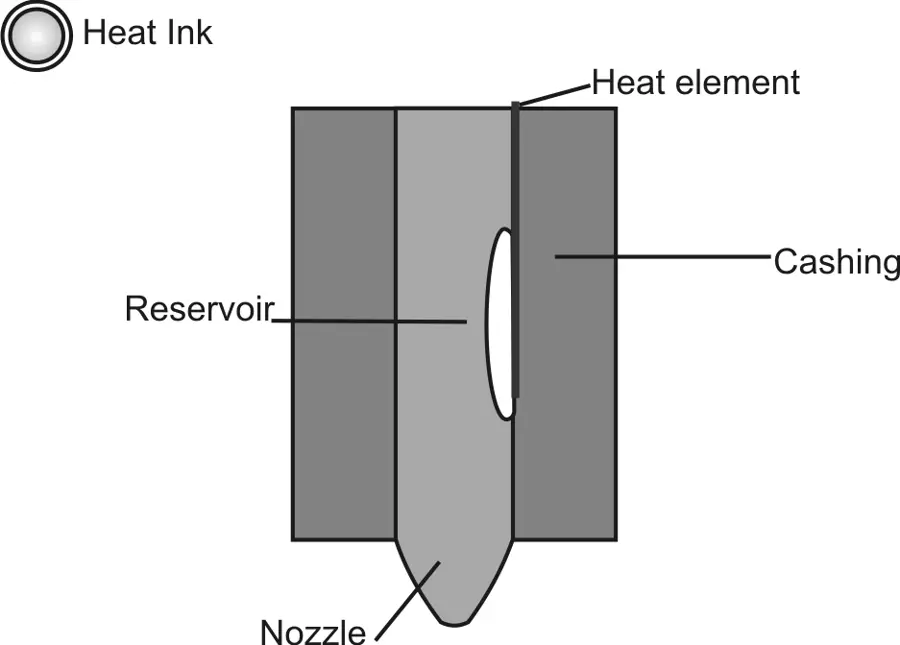
- In this type of printer tiny resistors create heat, which vaporizes the ink to create a bubble.
- As the heat applied to the ink is increased the bubble starts expanding, and some amount of ink is pushed out of a nozzle onto the paper.
Piezoelectric
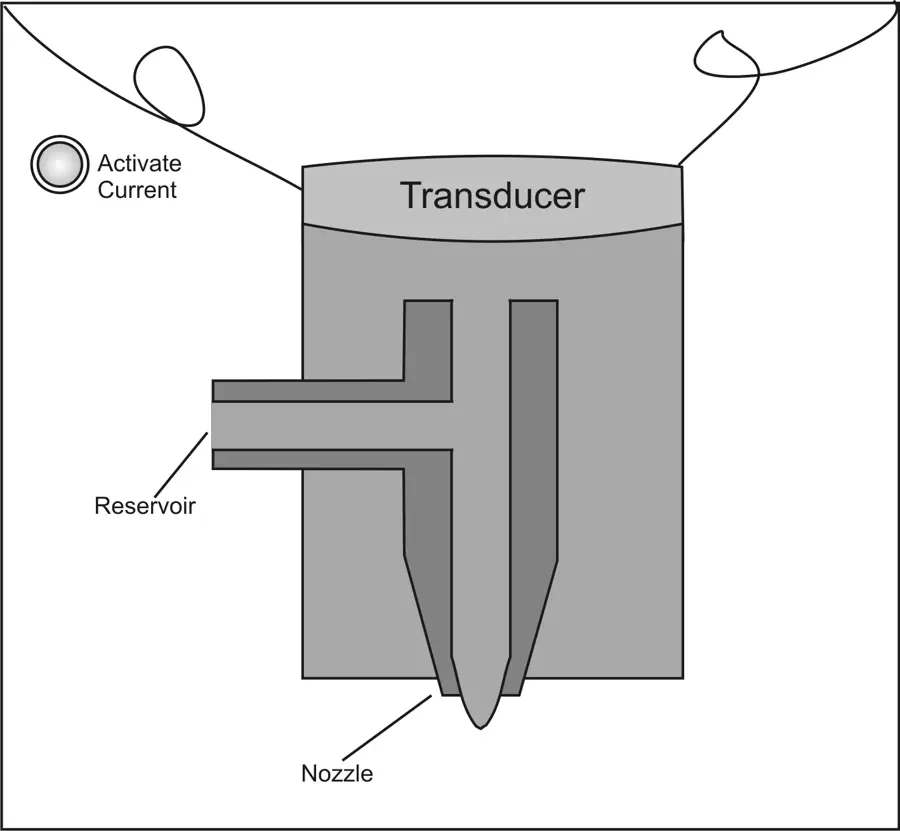
- A crystal is present in the rear end of each nozzle.
- The crystal receives a tiny electric charge, which causes vibration on it.
- A tiny amount of ink will come out of the nozzle when the crystal vibrates inward.
The software application sends the data to be printed to the printer driver
- The driver converts the data into a format that the printer can understand.
- Printer accumulates a certain amount of data in a buffer
- The paper feed stepper motor is activated by the control circuitry
- The roller inserts a sheet of paper from the paper tray/ feeder into the printer
- The print head is parked after the printing process is complete.
Laser Printer
- Introduction
- Laser printer is another type of non-impact printers.
- Laser printer does not use ink instead uses a powder type material called toner for printing characters on the paper.
- The Characteristics of Laser printer are Resolution Memory Speed Paper type
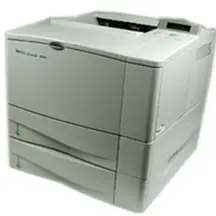
Components of Laser Printer
- The various components of a laser printer
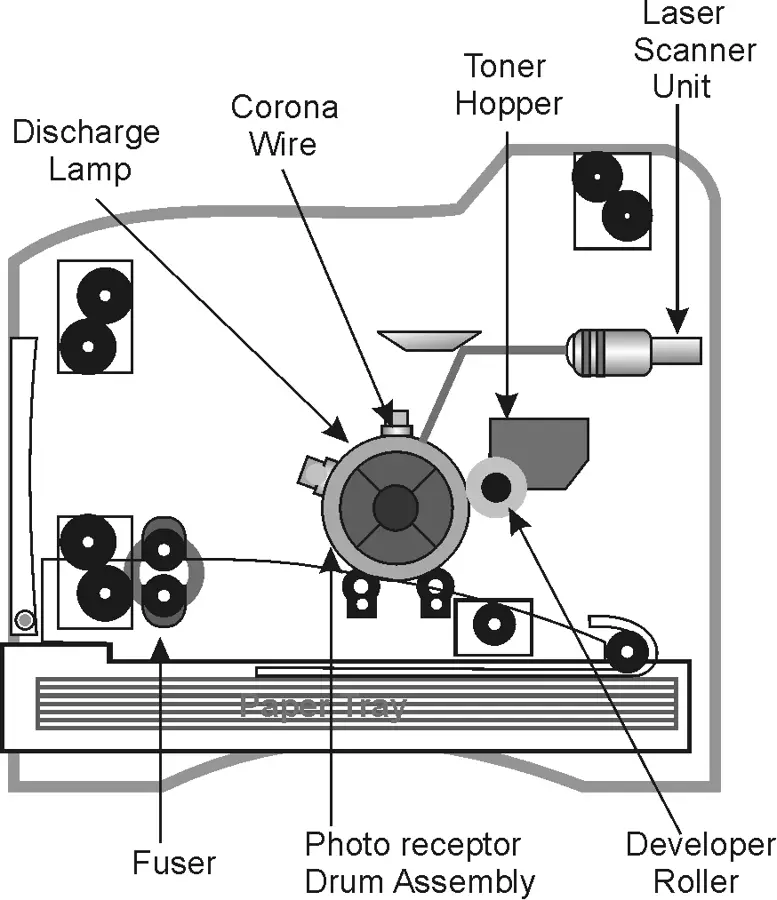
Toner Cartridge - contains the toner for printing the data on to the paper.
Laser Scanning Assembly - When the laser beam is moved over the surface of the drum, the laser sends a pulse of light for every dot to be printed and no pulse for every dot of empty space.
High Voltage Power Supply - The high voltage power supply unit takes the AC supply and converts them into high voltage.
DC power supply unit - The DC power supply unit produces +5V, -5V, and +24V DC which is used for the motors and other Integrated chips in the printer board.
Paper Transport System - It deals with the paper path that is followed and the mechanism employed to move the paper from the input tray to the output tray.
Transfer Corona Assembly – It is used to charge the paper with the positive charge when it moves through the electrostatic drum.
Fusing assembly – It contains the rollers for applying pressure and heat to grab the toner particles from the photosensitive drum to the paper.
Formatter Board – It is the circuit board, which contains the printer controller, which controls the operations of the printer.
Printer Buffer - There are two types of print buffer 1. Page buffer
- 2. Band buffer.
- The page buffer is used to hold the complete page array information.
- Band buffers are utilized to minimize the memory requirements in the printer.
Working of Laser Printer
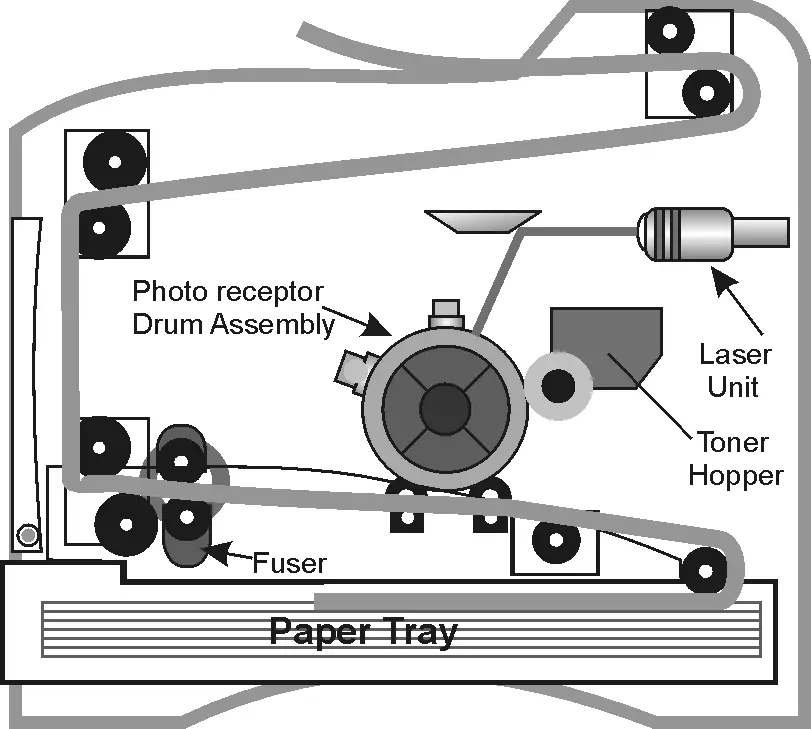
- The photoreceptor drum is given a positive charge with the help of the corona wire.
- Instead of corona wire charged rollers can also be used to charge the drum.
- The positively charged toner is attracted by the negatively charged pattern that is present in the photo receptor drum.
- The printer passes the paper through the fuser which consists of a pair of heated rollers which are heated Quartz tube lamps.
Benefits of Laser Printer
- The speed of Laser printer is high when compared to an Inkjet printer.
- The Laser printer can be very accurate.
- The maintenance cost of laser printer is less compared to ink jet printers.
- In earlier days at the time of introduction, laser printers were expensive .
- The resolution offered by a laser printer is the best.
Data Processing
- The printer controller is an interface between the printer and the computer.
- The laser printer can be shared and can be used by many people in the network.
- Data Formatting
- An advanced communication languages, include the Hewlett Packard’s Printer Command Language and the Adobe’s Postscript.
- The printer controller in laser printer decides on the type of paper, formatting of the page and the font to use etc.
Scanners
- Overview
- Scanner is a modern tool which converts the visual information into digital data.
- Scanner is capable of capturing color picture, document, and pages from books and magazine.
- With the right attachments, it can even scan transparent photographic film also.
How scanners work
- These scanners are called drum scanners.
- Drum scanners have a glass cylinder or drum where the image to be scanned is mounted on.
- In the middle of the drum is a light-splitting sensor which breaks the light bounced from the document into red, green and blue components
- These colored light beams are bounced through color filters to a photomultiplier tube or charge coupled device (CCD)
The following figure illustrates this better
- The types of scanners are Flatbed Scanners Sheet-fed scanners Handheld scanners Drum scanners Flatbed scanners
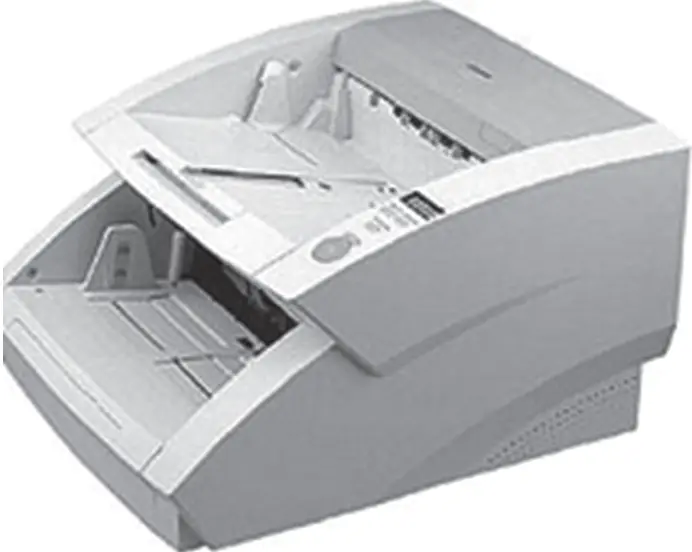
Sheet-bed scanners
- Sheet-fed scanners look like small printers and operate similarly to flatbeds, except the document is fed through the device while the scan head is immobile.
- Some may require the user to manually feed the documents one at a time.
Handheld scanners
- In a handheld scanners when you press the scan button a light-emitting diode (LED) illuminates the image below the scanner.
- An inverted, angled mirror that sits right above the scanner’s window reflects the image onto a lens in the back of the scanner.
- The lens focuses a single line of the image onto a CCD (charge coupled device).
Drum scanners
- Drum scanner is more often used by the publishing business to capture lots of detailed images.
- The technology called Photomultiplier Tube (PMT) is used by the Drum scanner.
Specification of the scanner
- Specifications
- The specifications of scanners are Resolution Interpolation Resolution
- The resolution of the scanner decides how many separate spots on the original can actually be scanned.
- If the resolution is high, the sharpness of the image also will be high.
- Interpolation
- The interpolation can improve the quality of documents
Interfaces used by scanners
- There are three common types of interfaces used by scanners to connect with computer.
- Parallel
- Small computer system interface (SCSI)
- Universal serial bus (USB)
- Fire wire