
Input Devices
- Keyboard & mouse
Input Devices(KEYBOARD & MOUSE)
- Overview
- Input devices are used to accept data and commands from the user and send it to the processor for processing.
- Keyboard is a character input device.
- Mouse is a handheld pointing device. Scanner takes its input in graphical form.
Keyboards
- Introduction
- Keyboard is a character input device which enables the user to provide input to the computer for processing.
- The keys available in the computer keyboard can be classified as Alphanumeric Keys Function Keys Special Keys
- The keyboard also has LEDS for Caps Lock, NumLock and the Scroll Lock to indicate the status
Layouts of Keyboard
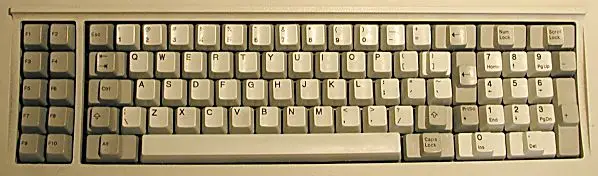
- 83 Key PC/XT Keyboard
- Introduced with the IBM PC
- Integrated as a part of the system unit 84 Key AT Keyboard
- Sys Req is included in this layout.
- The numbers are kept separately.
- LED’s are introduced
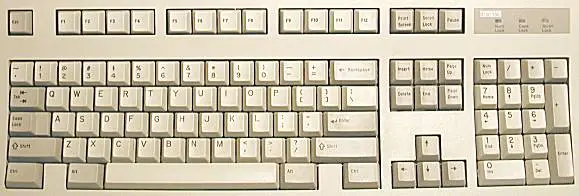
Enhanced AT 101-key Keyboard
- The cursor and navigation keys are present at the right side.
- The second ALT and the CTRL keys were introduced.
- The position of the <Esc> and the <Caps Lock> has been changed.
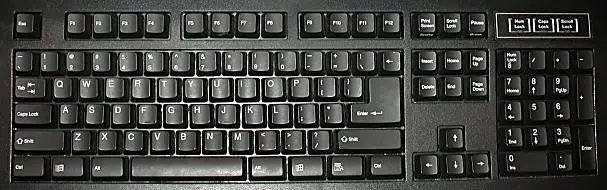
- Windows 104 key Keyboard
- Windows Key are at the either side of the space bar key.
Working of Keyboard
- It requires a lot of hardware circuits.
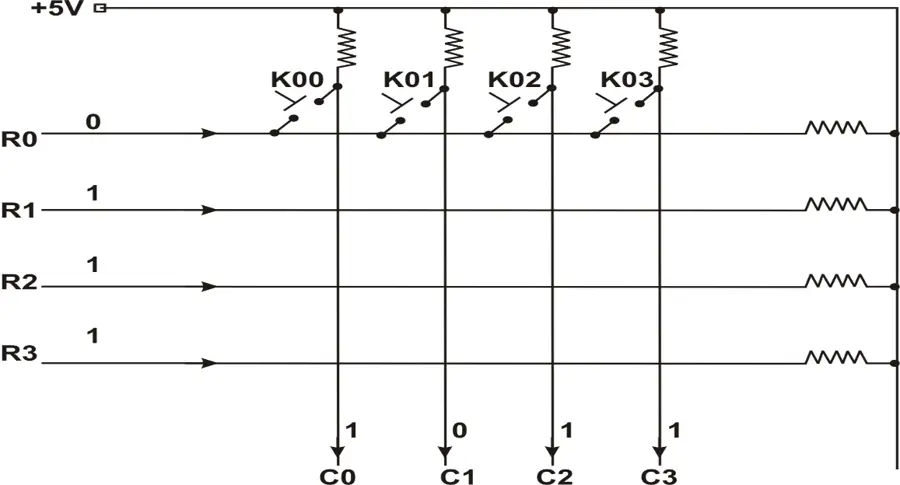
- The large keyboards are using the matrix organization.
- The key’s output is connected to the electronics circuits.
- Keys are organized in rows and columns.
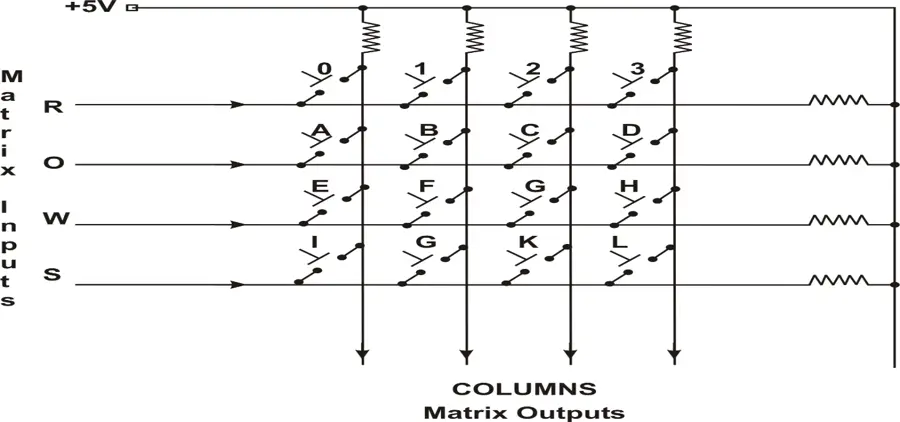
- Encoding is performed in matrix keyboard, by using scanning technique.
- The method uses row as inputs to the matrix and the column as the outputs from the matrix.
- To scan the matrix, a scan counter is used.
Keyboard Microprocessor
- The microprocessor present inside the keyboard is responsible for identifying the key press
- It exchanges the information between the host systems.
- Functions performed by the keyboard controller
- Scanning the key switch matrix
- Identifying a key press
- Debouncing
Various Types of Keyboard:
- Rubber Dome Switches
- It has a small flexible rubber domes and a hard carbon center beneath them.
- They are resistant to corrosion
- The rubber layer protects the key matrix Metal Contact Switches
- If a key is pressed the two plates come in contact with each other.
- The circuit is physically closed and the key press is detected.
Rubber Dome Switches
- It has a small flexible rubber domes and a hard carbon center beneath them.
- They are resistant to corrosion
- The rubber layer protects the key matrix Metal Contact Switches
- If a key is pressed the two plates come in contact with each other.
- The circuit is physically closed and the key press is detected.
Membrane Switches
- A membrane is used as a flat sheet and the printed pattern is present in the membrane.
- Foam Contact Switches
- A small piece of sponge is made available between the bottom of the plunger and the metal strip.
Keyboard Interfaces
- The signals used by the keyboard
- Data – The data sent by the keyboard circuit when you press a key.
- Clock – It is sent to synchronize the data signals
- Power supply – uses +5 V DC power supply
- Ground- Provides Signal ground for the interface
| Pin # | 5-pin DIN Connector |
| 1 | Keyboard Clock |
| 2 | Keyboard Data |
| 3 | (not connected) |
| 4 | Ground |
| 5 | Power (+5V) |
| 6 | -- |
6 Pin PS/2 Connector
- It has an interface to connect both mouse and the keyboard.
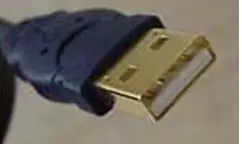
- Universal Serial Bus (USB) Keyboard
- It is connected to the USB port.
- It is stackable and swappable
- IrDA Interface
- It uses the Infra red rays for transmitting the signals.
| Pin No | Pin Name |
| 1 | Keyboard-Data |
| 2 | -- |
| 3 | GND |
| 4 | VCC |
| 5 | Mouse-Clock |
| 6 | -- |
MOUSE
- Introduction
- Mouse is a pointing device which is used to provide input signals to the computer.
- Mouse is used to move the cursor to the desired location and to activate the needed menu to perform the operation easily.
Classification of Mouse
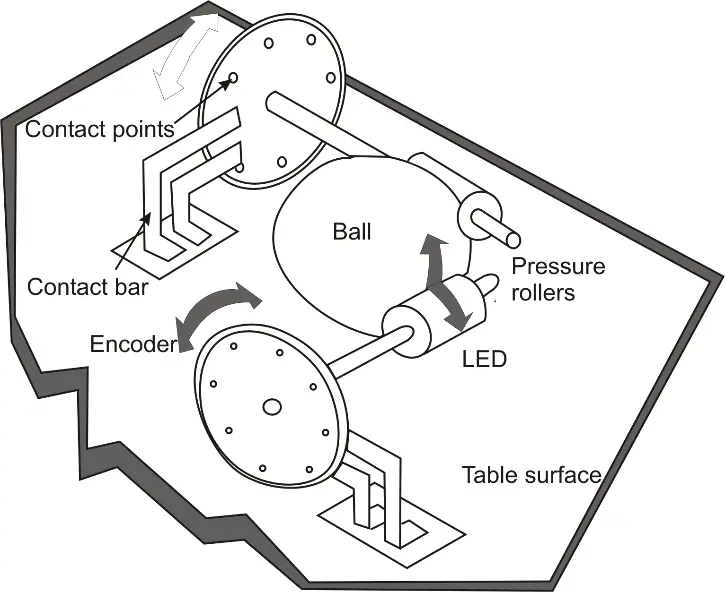
- Mechanical Mouse
- It comprises of a ball on the underside and is operated on a flat surface.
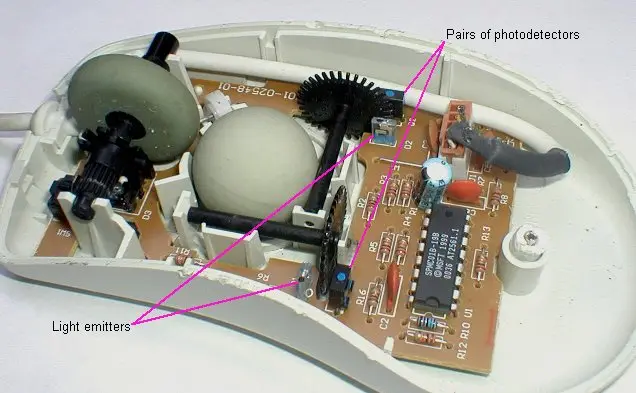
- Opto-Mechancial Mouse
- It uses the optical sensor to detect the position of the cursor on the screen.
Optical Mouse
- It uses laser to detect the movement of the mouse.
- Wireless Mouse
- It need not be connected physically to the computer.
- Technique used by this Mouse is infra red port and radio frequency waves.
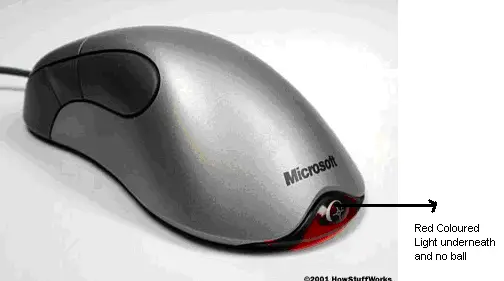
Wheel Mouse
- It is a two button mouse with a scroll in the middle.
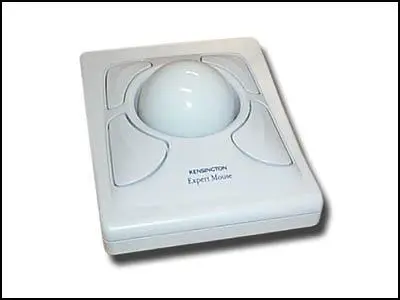
- Trackball
- The ball is kept inside a socket
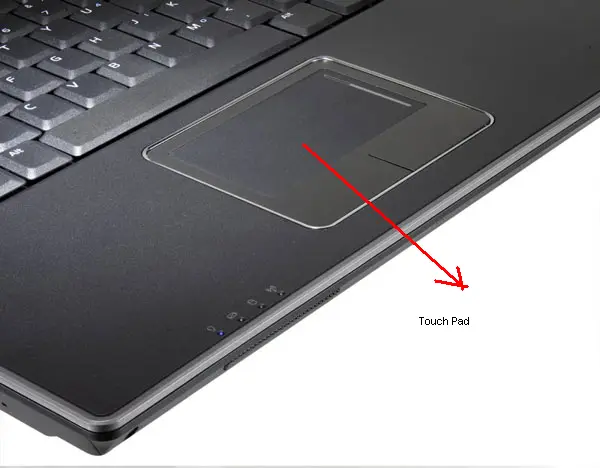
- Touch Pad
- It is used in portable computers instead of mouse.
Serial Mouse Interface
- It is used to connect the serial devices to the computer.
- It is a 9 pin D type female connector on the mouse side.
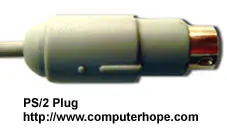
- PS/2 Port
- It is connecting keyboards and mouse.
- It is a 6 pin mini DIN port.
- IrDA Interface
- Infra red interface is used to transfer the signals wireless using infra red rays.
Other Input Devices
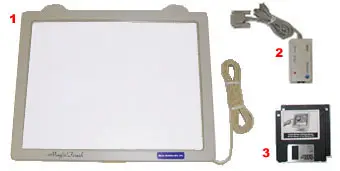
- Touch screen
- The major components are touch sensor, a controller, and a software driver.
- Touch Sensor
- Controller
- Software Driver
- Light pen
- It is shaped like a pen.
- It uses a light sensitive pen instead of finger.
- The tip of the Light pen has a light sensitive aspect.
- It will work with any CRT based monitor.
Conclusion
- The keyboards can be classified according to their layout as 83 key PC/XT keyboard 84 Key AT keyboard Enhanced AT 101 key Keyboard Windows 104 key Keyboard
- Mouse can be classified in to four types namely Mechanical Mouse Optomechanical Mouse Optical Mouse Wireless Mouse
- Flatbed scanners are the most flexible and popular format.
- Light pen cannot work with LCD screens and projectors.
- The device which decodes this printed symbol of bars and spaces is called a bar code reader
- Biometric devices can be used as input to a computer.
- A biometric device like a fingerprint scanner can be used for additional level of security.