PC - Memory Classifcation
Introduction
- Memory is used to hold the data and the instructions that are being currently used by the CPU
- The main memory is present in the motherboard.
- Some features of memory
- Performance
- Software Support
- Reliability and Scalability
- Upgradeability
Memory can be mainly classified as primary memory and secondary memory.
| Primary Memory | Secondary Memory |
| Storage that is directly accessible by the CPU | Needs the help of I/O channels for accessing the CPU |
| Provides fast access | Provides slow access |
| Can store less amount of data | Can store large amount of data |
| ROM & RAM are the example of Primary Memory | HDD, FDD, CDD, Pen Drive are the examples of Secondary Memory |
Primary memory cans be classified into Random Access Memory (RAM)
- Hybrid memory
- Read Only Memory (ROM).
Random Access Memory
- It is used to store the user program and data for processing.
- It is a volatile memory.
- It is classified into Static RAM (SRAM) and Dynamic RAM (DRAM).
| SRAM | DRAM |
| Made of flip flops | Made of capacitors |
| Using as cache memory | Connected to the motherboard to store user data |
| costly | cheaper |
| faster | slower |
Dynamic Random Access Memory (DRAM)
- Needs one capacitor and one transistor to store data.
- The time taken to read or write data is called memory access time.
- Memory Read Operation
- The address is placed on the address bus and the control signal memory read is issued by the processor.
- Address
- Processor
- Memory
- MEMR
- Data
Memory Write Operation
- The address is placed on the address bus and the control signal is given to the memory to write the data in the location given by the address bus.
- Memory Refreshing
- Memory controller performs the refresh operation once in 15 micro Seconds.
- The electrical charge present in the capacitor would be drained and the data would be lost.
- Address
- Processor
- Memory
- MEMW
- Data
Types of DRAM
- Fast Page Mode DRAM (FPM)
- Faster than the conventional DRAM
- The row address is sent to access all the memory locations Extended Data Out (EDO)
- DRAM
- It is called hyper page mode.
- The next cycle overlaps the previous one.
Synchronous DRAM
- Operates in synchronization with the memory bus.
- The latency period is reduced.
- Supported by Chipsets 430 VX
- 430 TX and Intel chipsets.
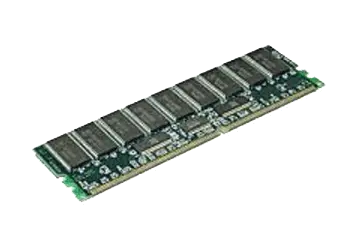
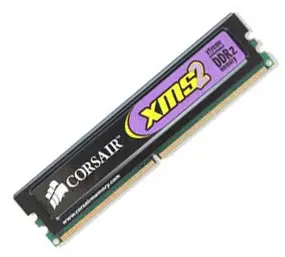
- Double Data Rate (DDR) SDRAM
- It is an improved form of SDRAM
- The data is transferred twice per clock cycle.
- Ddr2ram
- It is designed to consume less power
- Introduced with the Intel i915 and i925 chipsets.
Rambus Dram (Rdram)
- It is a narrow channel device.
- Transfer only 2 bytes of information at a time.
- Data transfer is high.
- Vram – video RAM
- It is used to store the image data for display.
- Suitable only for access by video adapters.
- Data is converted in to analog signals using RAM digital to analog converter (RAMDAC)
- Then sent to the CRT for display.
- CMOS RAM
- The CMOS BIOS settings are stored into CMOS RAM.
- It is volatile.
DRAM Memory Sockets
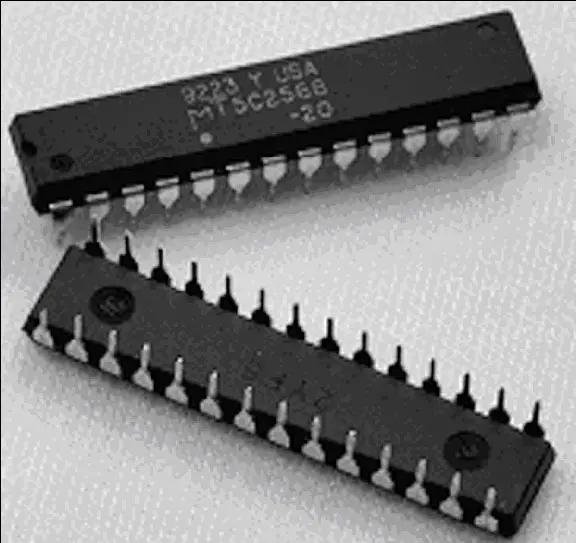
- Dual Inline Package (DIP)
- 8088 had DIP memory modules.
- DIP package having pins in both the sides.
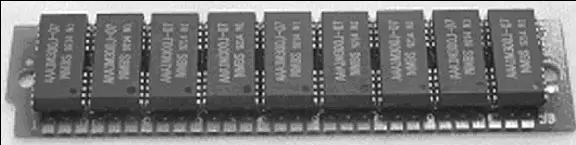
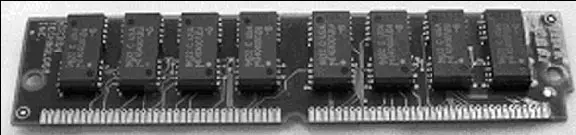
- Single Inline Memory Module (SIMM)
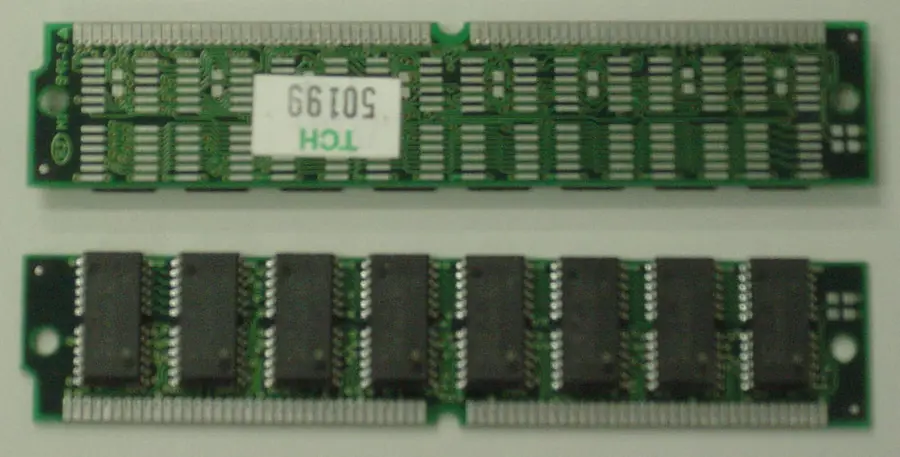
- It has a series of DIP chips soldered to a small circuit board.
- Two types of SIMM modules.
- 30 Pin SIMM Module
- 72 Pin SIMM Module
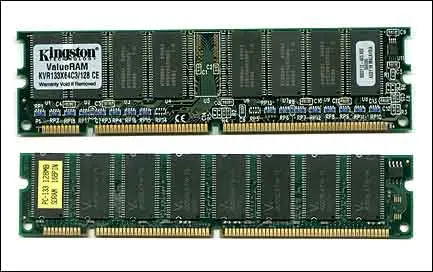
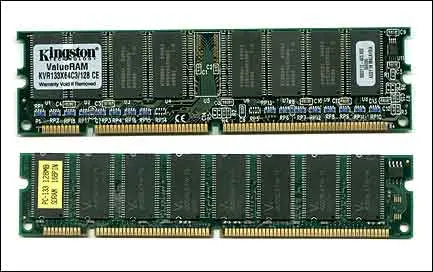
Dual Inline Memory Module (DIMM)
- DIMM modules have 64 bit data bus
- It can be installed to a socket provided with two notches.
- DIMM has 168 pins.
- Specifications
| RAM type | Pins | Width | Usage |
| SD RAM | 168 | 64 bit | Older and slower. Used in PIII Machines |
| Rambus RAM | 184 | 16 bit | Advanced RAM. Used in PIII Machines |
| DDR RAM | 184 | 64 bit | A faster version of SD RAM. Using in PIV Machines. |
| DDR2 RAM | 240 | 64 bit | New version of DDR RAM. Using in PIV Machines. |
Static RAM and Types of SRAM
- Static RAM
- Made of flip flops.
- Does not need any periodic refresh.
- The access speed of SRAM is faster than DRAM.
- Types of SRAM
- Async SRAM - used for L2 cache and asynchronous with the system clock.
- Sync SRAM - operates in synchronization with the system clock
- Pipeline Burst SRAM - sends data pipelined and operates at a bus speed higher than 66 MHz.
System Memory Organization
- The system memory refers to the RAM (Random
- Access Memory) of the computer.
- The system memory is divided into different areas to perform different tasks.
- The system memory of the computer can be divided into the following sections as shown in the figure below:
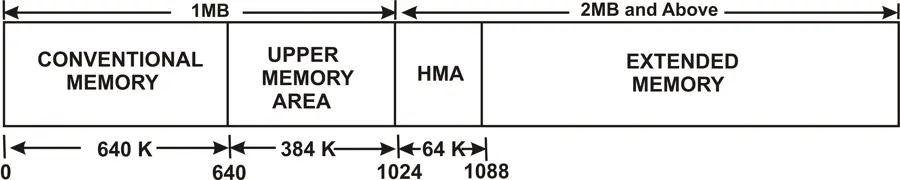
- The first 1 MB of RAM was divided into two sections, where the first 640 KB is reserved for operating system
- The remaining 384 KB (called upper memory area) is reserved for performing housekeeping works
- The memory above the first 1 MB was referred to as extended memory area.
- Conventional Memory
- The first 640 KB of the first 1 MB of RAM is called Conventional Memory
- This area of memory is available for use by standard DOS programs, drivers, memory-resident programs and any program that has to run under standard DOS.
- Conventional memory is the only kind of RAM that is accessible in DOS mode and DOS mode programs, unless any special technique to access the RAM is used.
- Conventional memory occupies addresses 00000h to 9FFFFh of the RAM.
- Upper Memory Area
- The Upper Memory area is present immediately above the conventional memory area, i.e. from 641 KB to 1024 KB or the upper 384 KB of the first 1 MB of RAM
- This memory area is reserved for use by system devices and for special uses such as ROM shadowing and drivers
- The Upper Memory area occupies addresses A0000h to FFFFFh of RAM
High Memory Area
- The High Memory Area is the first 64 KB of the second MB of system memory.
- The memory above the first MB is called the extended memory but the first 64 KB of the second MB of RAM is called High memory Area.
- The High Memory Area can be accessed by the processors in real mode only.
- It is usually used by DOS to preserve the conventional memory.
- This memory area occupies addresses 100000h to 10FFEFh.
Extended Memory
- The area of memory above the High Memory Area is called the Extended Memory
- This memory is used by Windows operating system for programs and data that run in protected mode
- Extended memory is found from address 10FFF0h to the last address of system memory. This memory is accessed through an extended memory manager called HIMEM.SYS
Read Only Memory
- Characteristics of ROM
- ROM is used to store the data permanently. It is non volatile.
- It is used to store system related configurations.
- The performance of the system is influenced by the capacity and the type of ROM.
- It uses special techniques to write into them.
- ROM also provides random access.
- Example of ROM is the system BIOS ROM. The BIOS
- ROM chip is present in the motherboard. It holds system related programs.
Types of ROM
- ROM
- A regular ROM is constructed from hard-wired logic, encoded in the silicon itself. It is designed to perform a specific function and cannot be changed.
- Programmable ROM (PROM)
- It can be read any number of times. This is a type of ROM that can be programmed using special equipment; it can be written to, but only once. This is useful for companies that make their own ROMs from software they write.
- Erasable Programmable ROM (EPROM)
- An EPROM is a ROM that can be erased and reprogrammed. Ultraviolet light of a specific frequency can be shined through this window for a specified period of time, which will erase the EPROM and allow it to be reprogrammed again.
- Electrical Erasable Programmable ROM (EPROM)
- The next level of erasability is the EEPROM, which can be erased under software control.
- This is the most flexible type of ROM, and is now commonly used for holding BIOS programs.
- By doing a BIOS upgrade by "flashing", this refers to reprogramming the BIOS EEPROM with a special software program.
- Cache Memory
- It is a Static RAM which can be accessed quickly by the processor
- Frequently used data is stored in cache memory.
- Level 1 Cache Memory
- It is primary cache and is inbuilt in the microprocessor.
Level 1 Cache Memory
- It is primary cache and is inbuilt in the microprocessor.
- The number of data transfers between the registers and the L1 cache is shown with many arrow marks.
- Level 2 Cache Memory secondary cache is present as a separate chip Level 3 Cache Memory which is an interface between the main memory and the processor.
Cache hit and Cache Miss
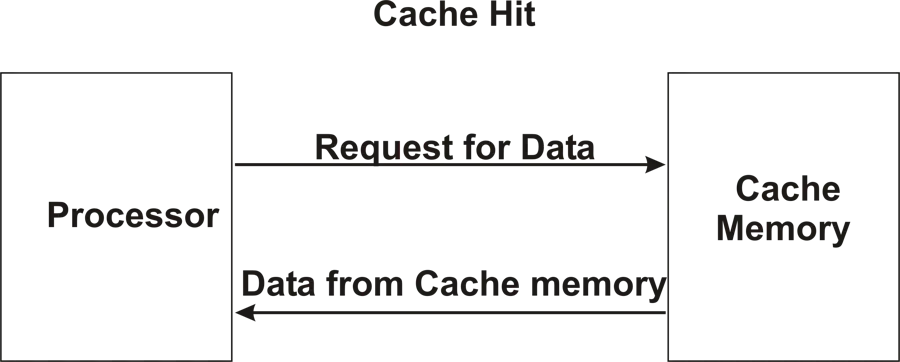
- Processor gets the data from the cache memory and it is called a cache hit.
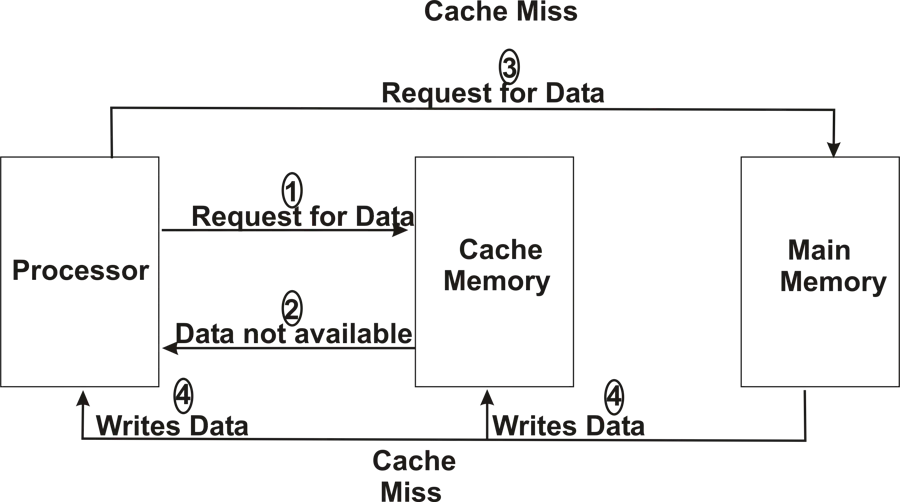
- If the data is not available in cache memory then it is termed as cache miss.
- For better performance cache hit/cache miss ratio should be high.