
BIOS
- CMOS setup
CMOS Settings
- CMOS BIOS ROM
- It Stores the basic system configuration. The four major components of BIOS are POST Bootstrap Loader CMOS Setup BIOS ROM
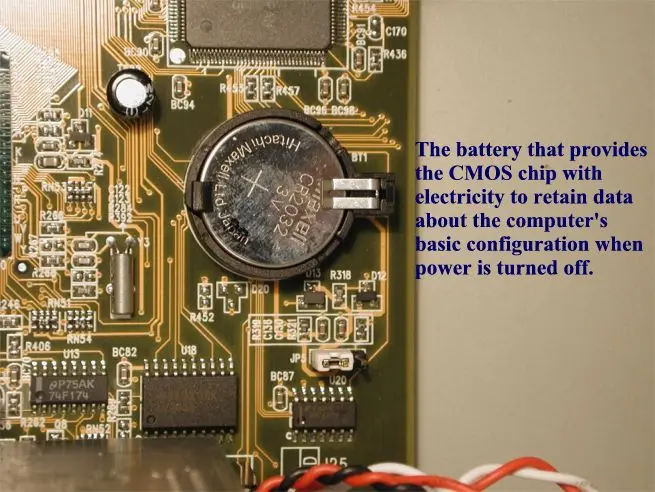
- CMOS Battery
- Battery is used to power up the Real time Clock Chip.
- This chip maintains the system date and time.
- System Configuration
- The BIOS should find an operating system on a hard disk or floppy disk drive to start the computer.
- Starting the Setup Program
- The settings made in the BIOS setup program are stored in the nonvolatile RAM of the CMOS chip.
- Step-by-Step CMOS/BIOS Configuration
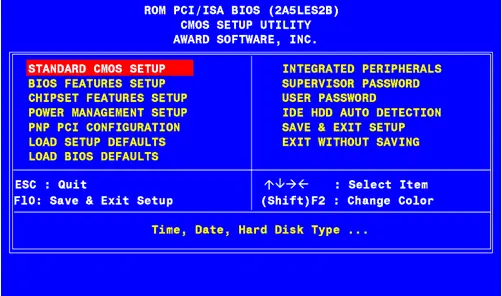
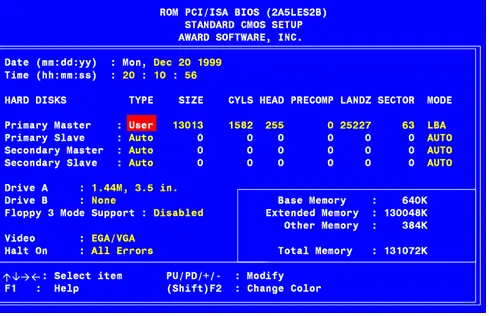
- From the CMOS setup menu, select the menu point to examine or change setting and choose Standard CMOS setup to begin.
From the standard CMOS configuration screen you can set Date, Time, Hard drives connected to the IDE interface, Floppy disk drive types for drives
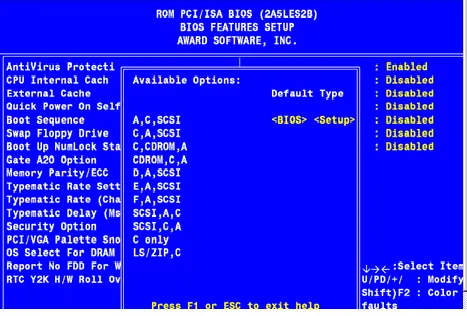
Advanced CMOS Configuration
Here, you can perform the Number Lock setting, keyboard repeats speed, type of video, settings for cache memory, and other special features.

Recommended Advanced CMOS Settings
- Depending on the BIOS version, you have to press the ESC key, to return to the main menu
Power Management Configuration
- After a user defined period of inactivity of devices like the monitor, the hard drive, or the CPU will go into different low power modes.
- Standby mode
- Suspend mode
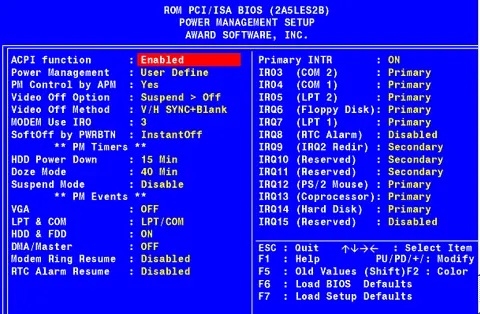
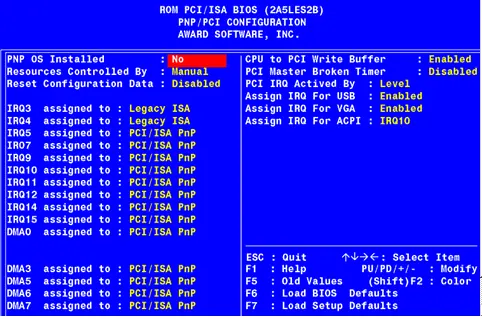
Built-In Ports/Peripherals Setup
- It can enable or disable ports which built in new systems.
Security/Passwords
- Two types of passwords are One must be entered to allow any use of the system
- Another one must be entered to allow access to the BIOS/ CMOS setup
- Saving and Recording BIOS/CMOS Settings
- BIOS allows you to save the changes and it will reject the changes that happen accidentally.
- Record the critical BIOS settings